Six surfaces, one citation guard.
Every screen below is the running product, captured against a demo firm. Nothing here is a mockup.
Ask in the language you work in
Put a question in plain language and get an answer built only from what the corpus actually contains: the statute quoted, the judgment named, and a citation chip on every claim that you can check. Threads keep their history, so a follow-up narrows the same ground rather than starting again.
- English, French and Kreol Morisien, on the same corpus.
- Citations resolve to the judgment or the code article.
- Save an answer to the firm's library in one click.
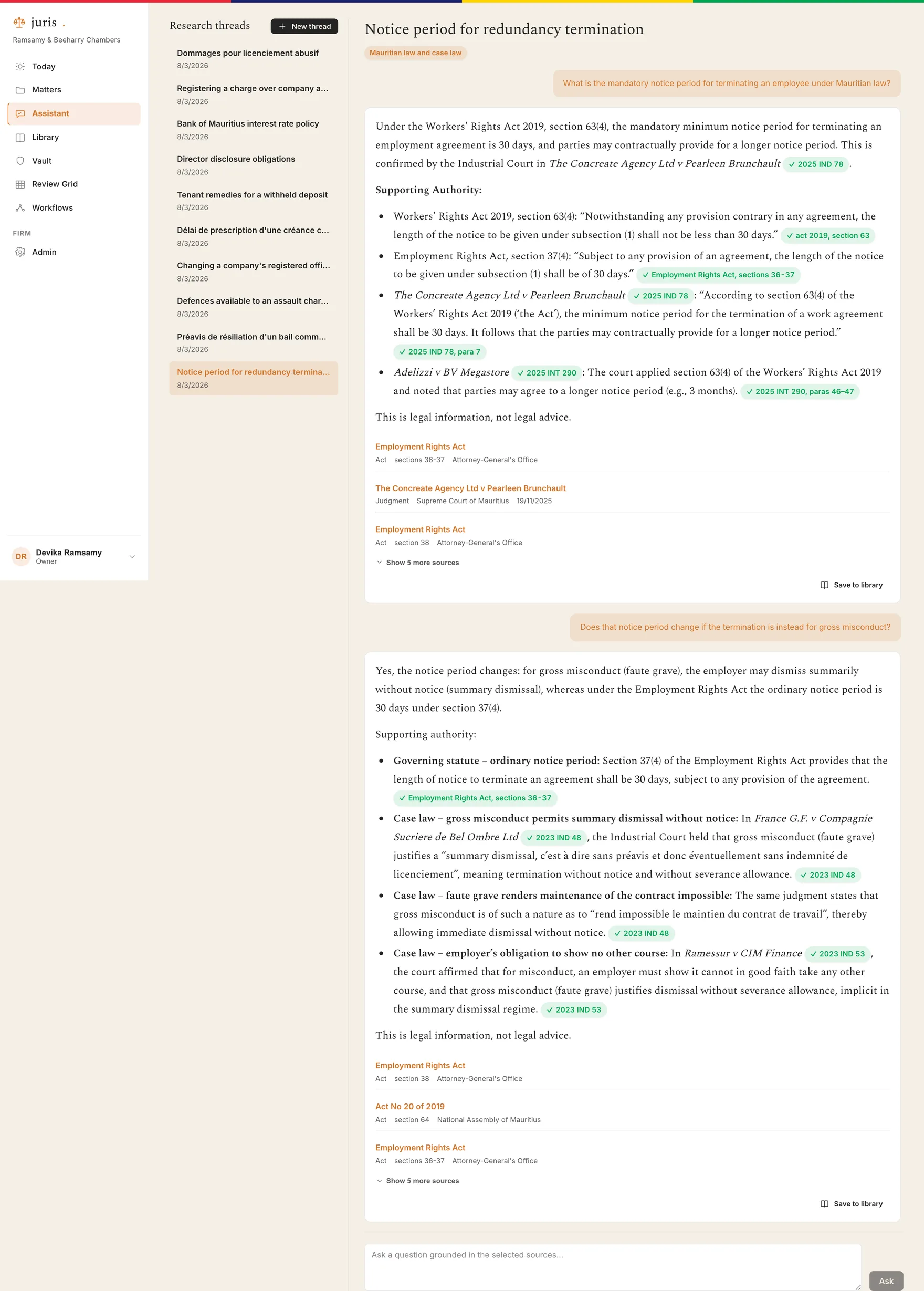
Screens throughout this site show a demo firm with illustrative matters. The legislation and judgments cited are real.
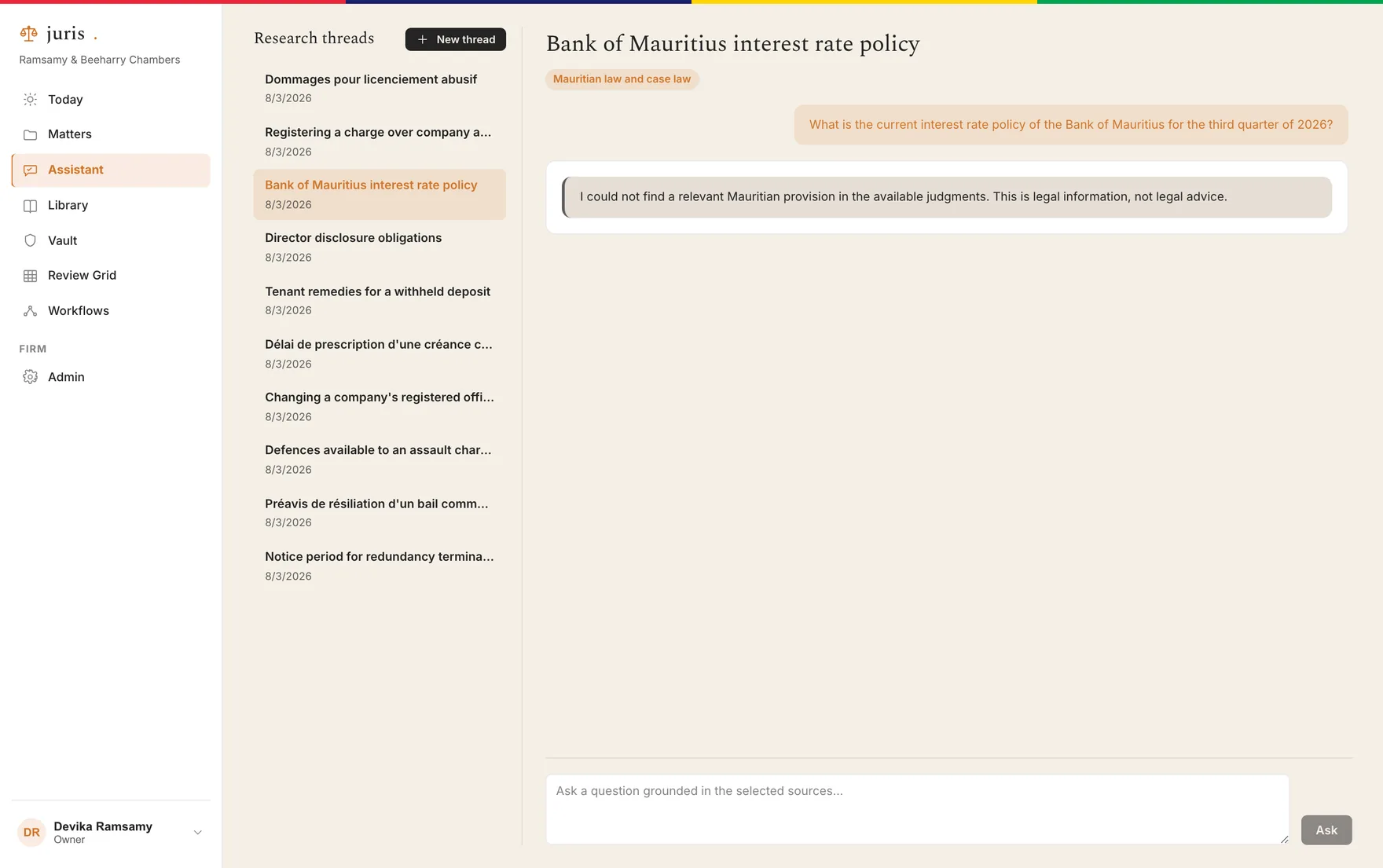
It says when it does not know
When the corpus does not support a precise answer, juris refuses and says why, rather than producing fluent text with nothing under it. This is the behaviour the rest of the product is built to protect, and it is the one that makes the answers you do get worth relying on.
Document Vault
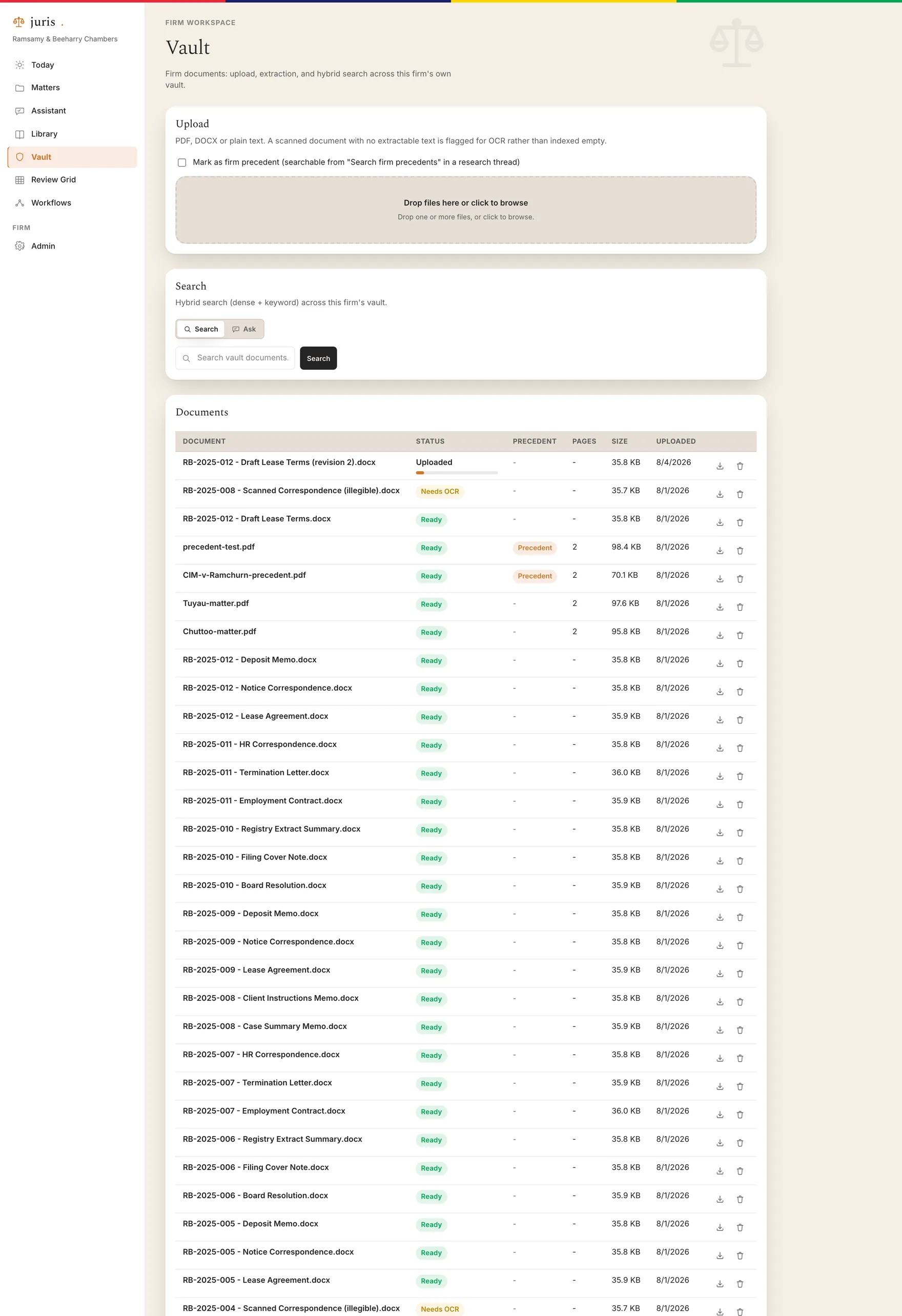
Your matter documents, searchable next to the corpus and scoped strictly to your firm.
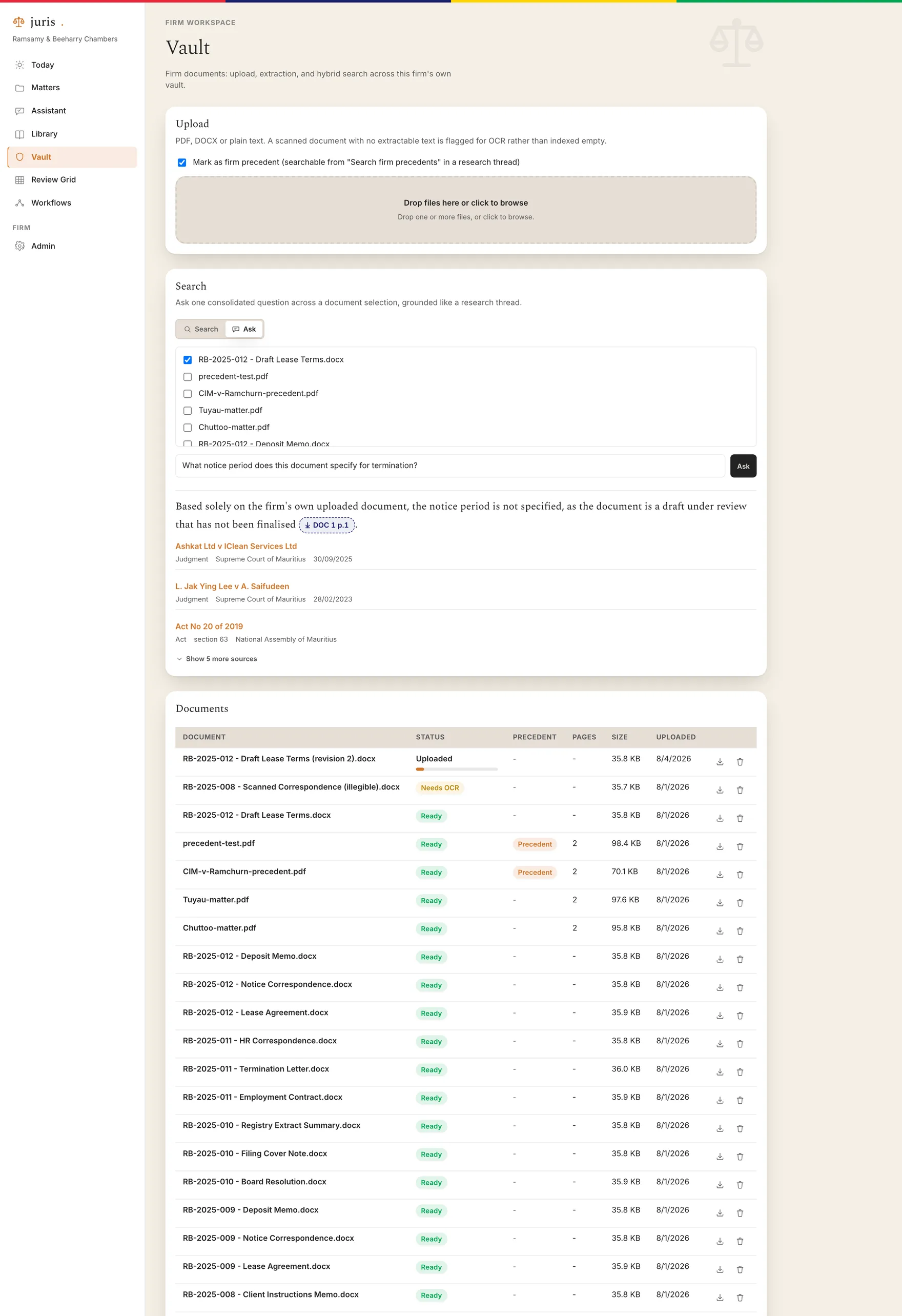
Upload, then ask across them
Documents are chunked and embedded on upload and become searchable immediately. Vault Ask puts a question to a selected set of them and answers from those documents alone, citing the page it came from. Scans that carry no text are flagged rather than silently indexed as empty.
- Full-text and semantic search over the firm's own files.
- Ask mode answers from a chosen subset, with page-level sources.
- Documents needing OCR are surfaced, not hidden.
Organised by matter from the start
Every document belongs to a matter, carries its status, and is visible only to the people that matter grants access to. Precedents can be marked so they surface across the firm rather than staying buried in one file.
Review Grid
One question across a bundle, answered per document, each answer still individually cited.
Read a bundle as a table
Define the columns you care about, notice period, termination date, severance, whether a non-compete is present, and run them across every document at once. Each cell keeps its own source, so a number you doubt is one click from the clause it came from. A verbatim column quotes the contract language rather than paraphrasing it.
- Typed columns: text, date, money, boolean, verbatim.
- Cells you correct are marked as reviewer-edited.
- Watch and issue flags are set by people, never by the model.
- Export the grid to CSV.
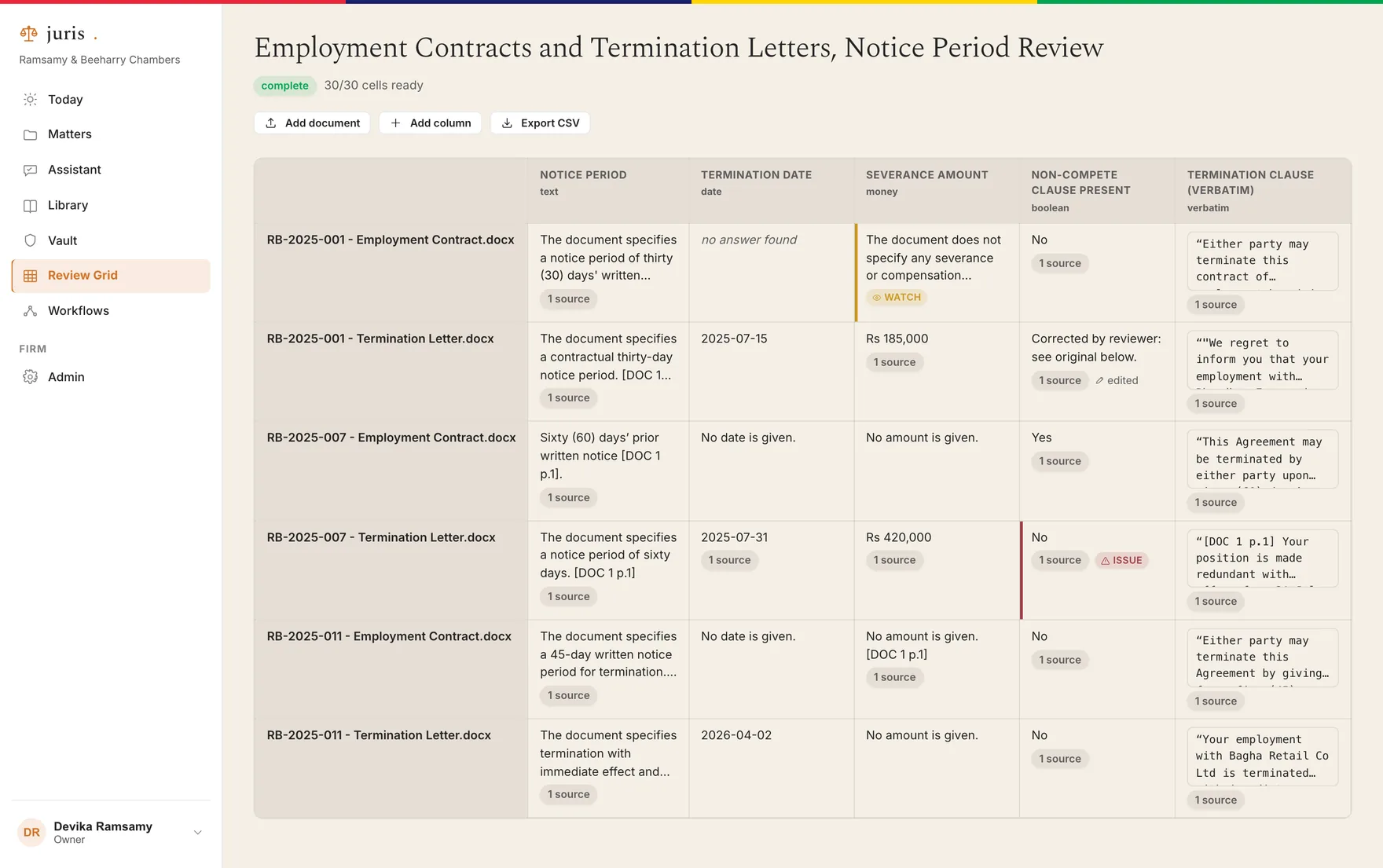
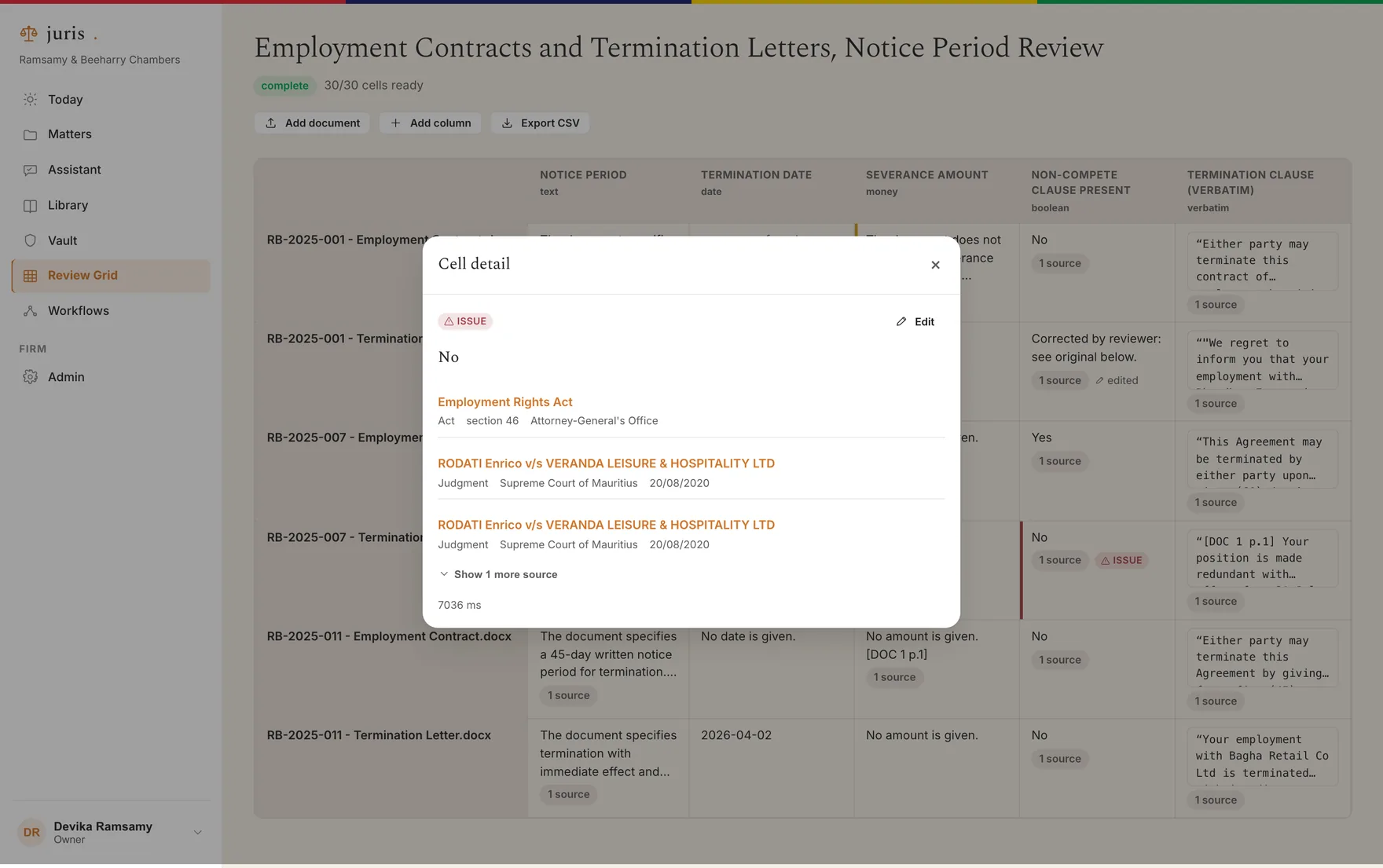
Every cell opens to its source
Open a cell and you get the extracted answer, the passage it was taken from, and the controls to correct it or flag it for someone else to look at. Nothing in the grid is a number you have to take on trust.
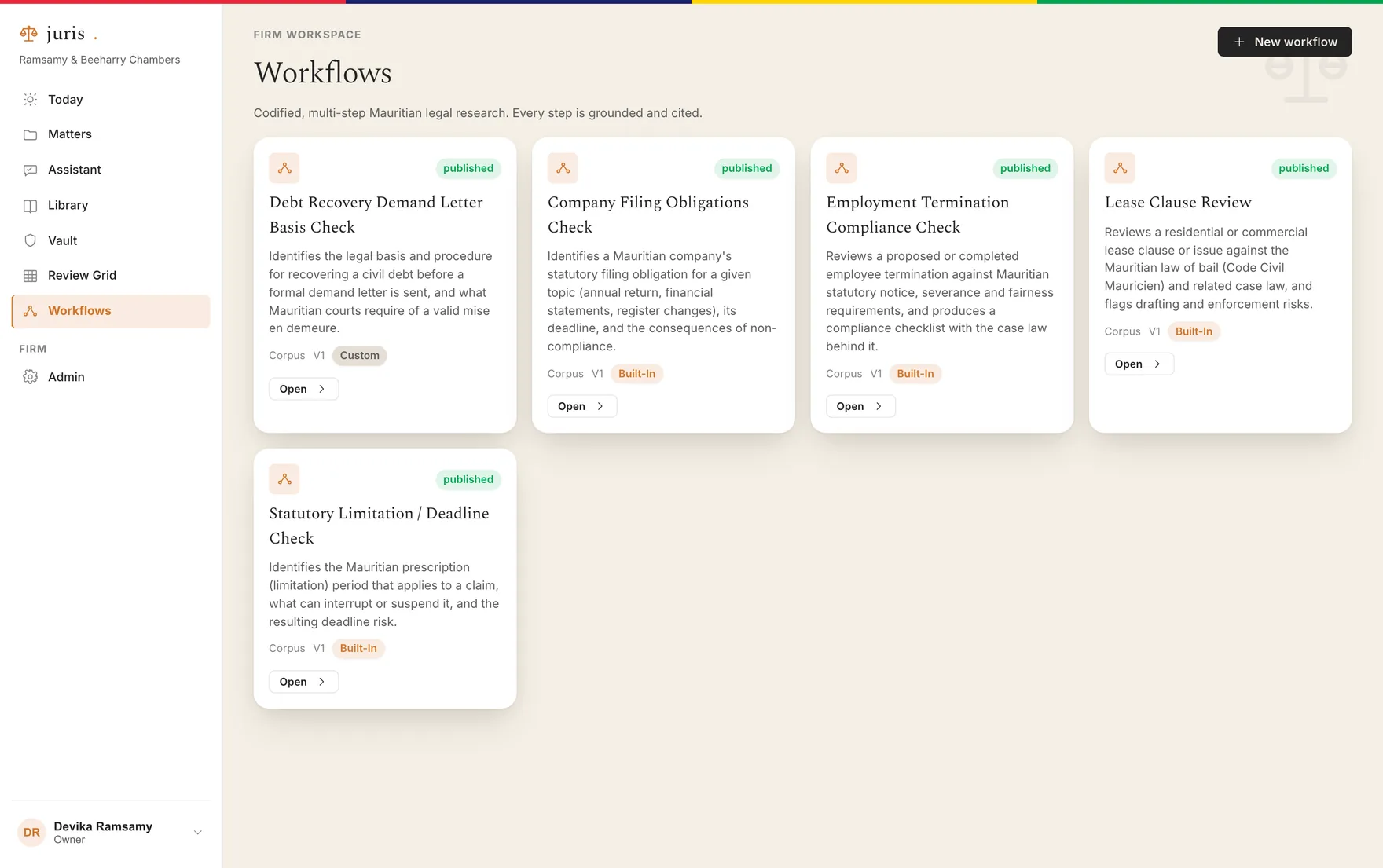
Workflow Agents
The checks you run every time, written down once and run the same way by everyone.
Multi-step, and grounded at every step
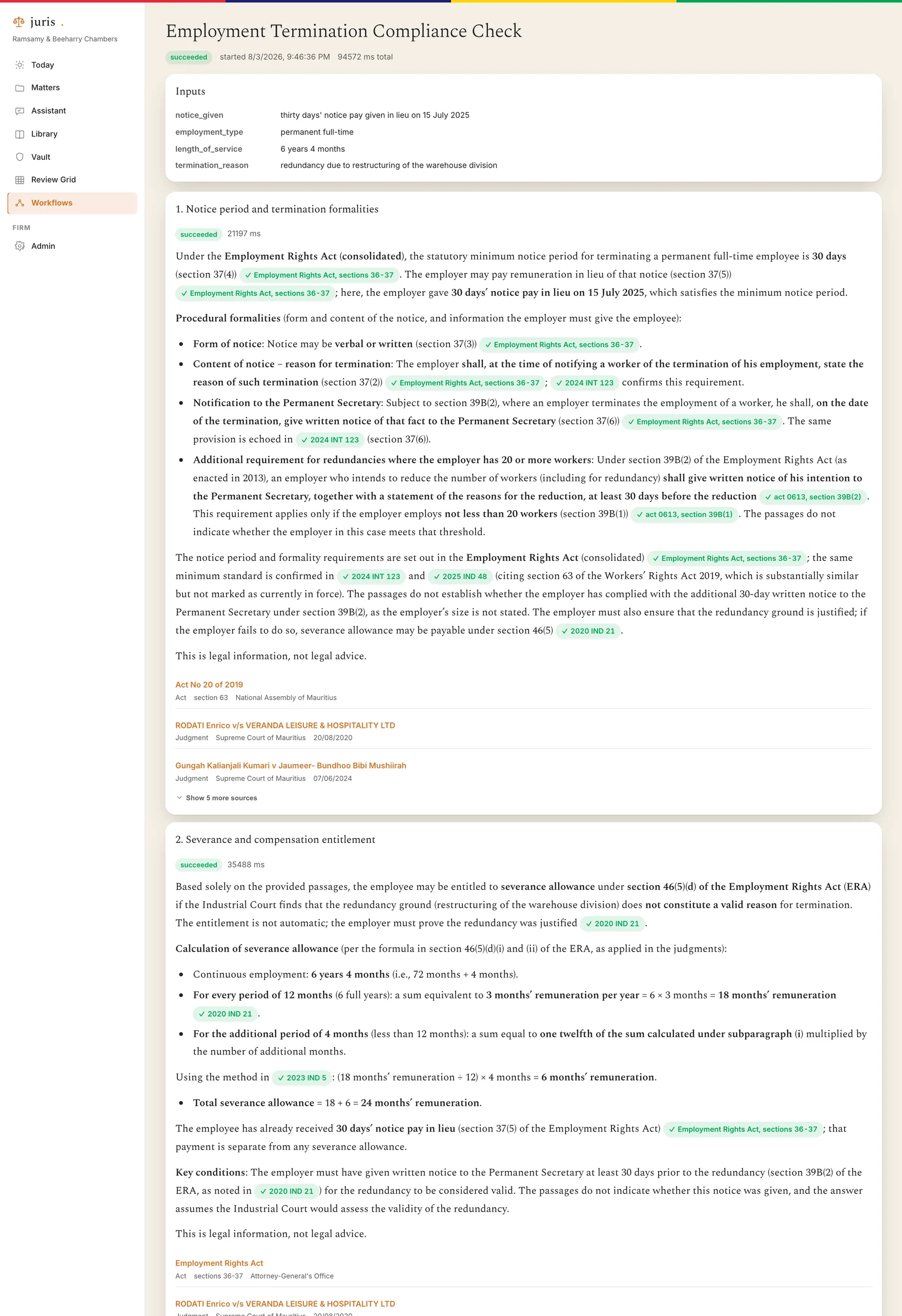
A workflow is a sequence of research steps with its own inputs. Each step retrieves and answers under exactly the same citation guard as a single question, so a four-step run is four grounded answers, not one long unsupervised essay. Firms can author their own alongside the built-in ones.
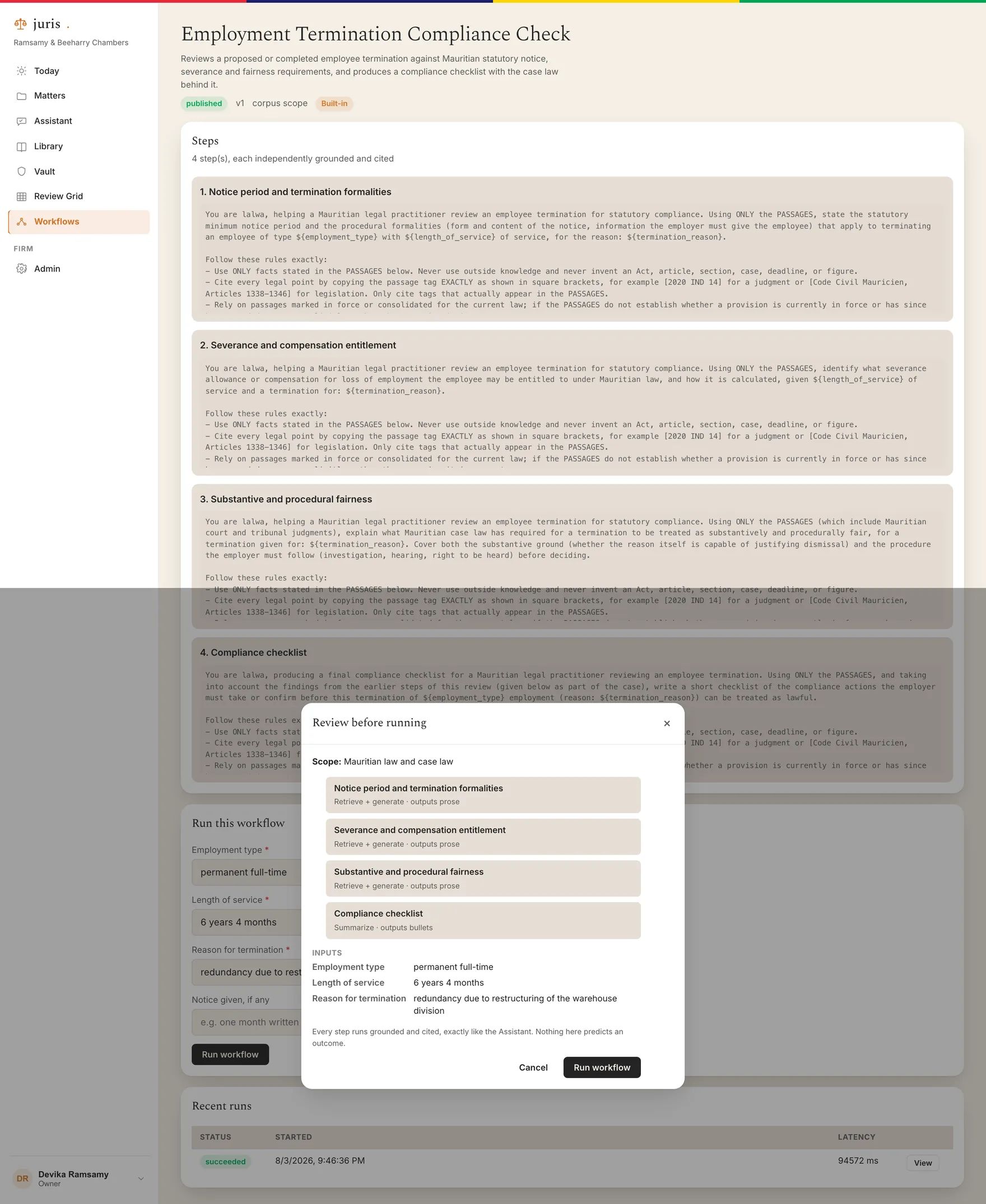
See the plan before it runs
Fill in the inputs and juris shows you the steps it is about to take before anything runs. You approve the plan, then watch each step complete with its own sources attached.
A run you can audit afterwards
Completed runs keep every step's answer, sources and retrieved passages, so the work can be checked later by someone who was not there when it ran.
Matter workspaces and the firm library
Work grouped the way a firm already groups it, with access to match.
Everything hangs off the matter
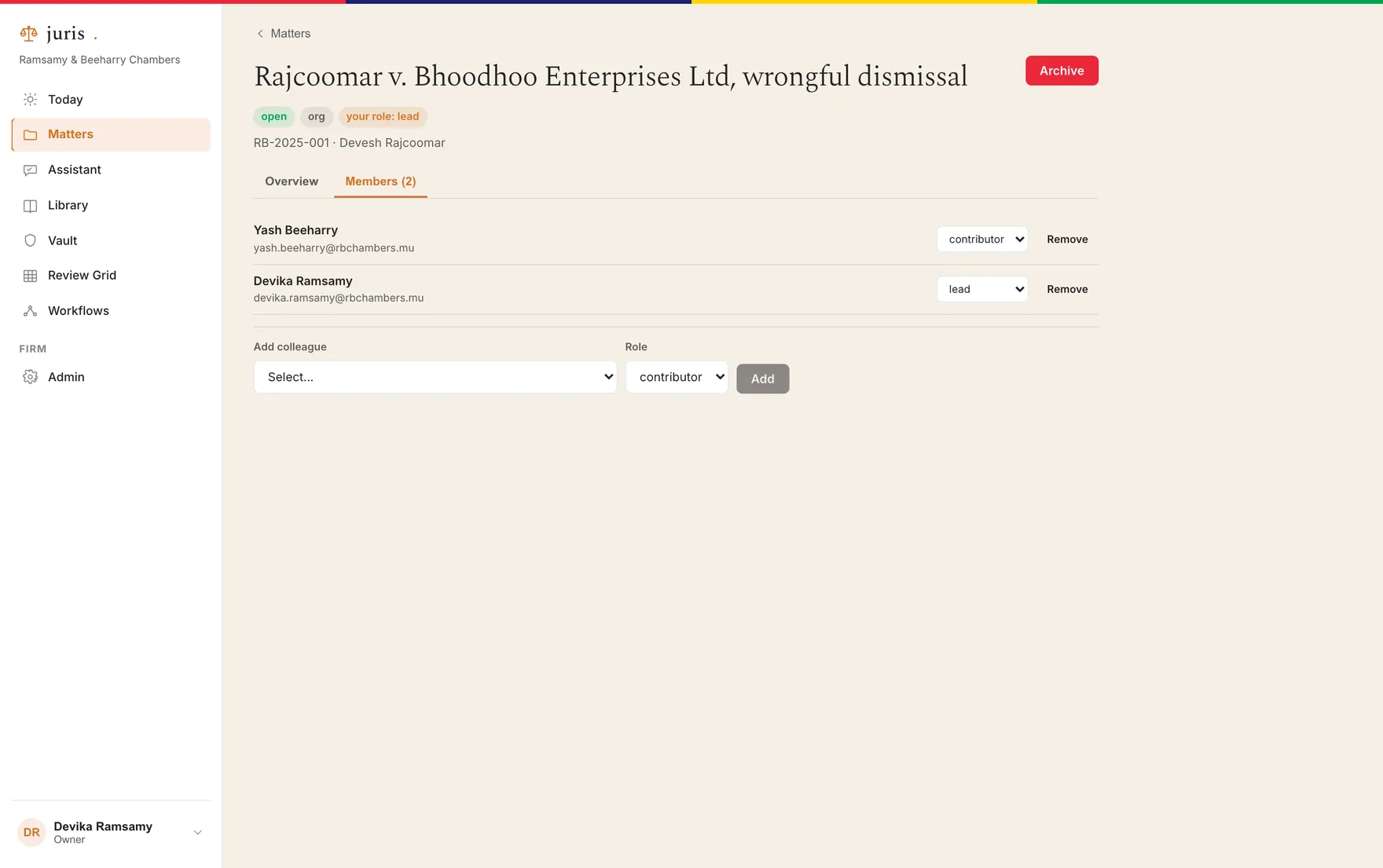
Threads, documents and workflow runs all belong to a matter. Each matter has a lead and its own member list, and sensitive matters can be restricted so they are visible only to the people on them.
Good work stops being lost
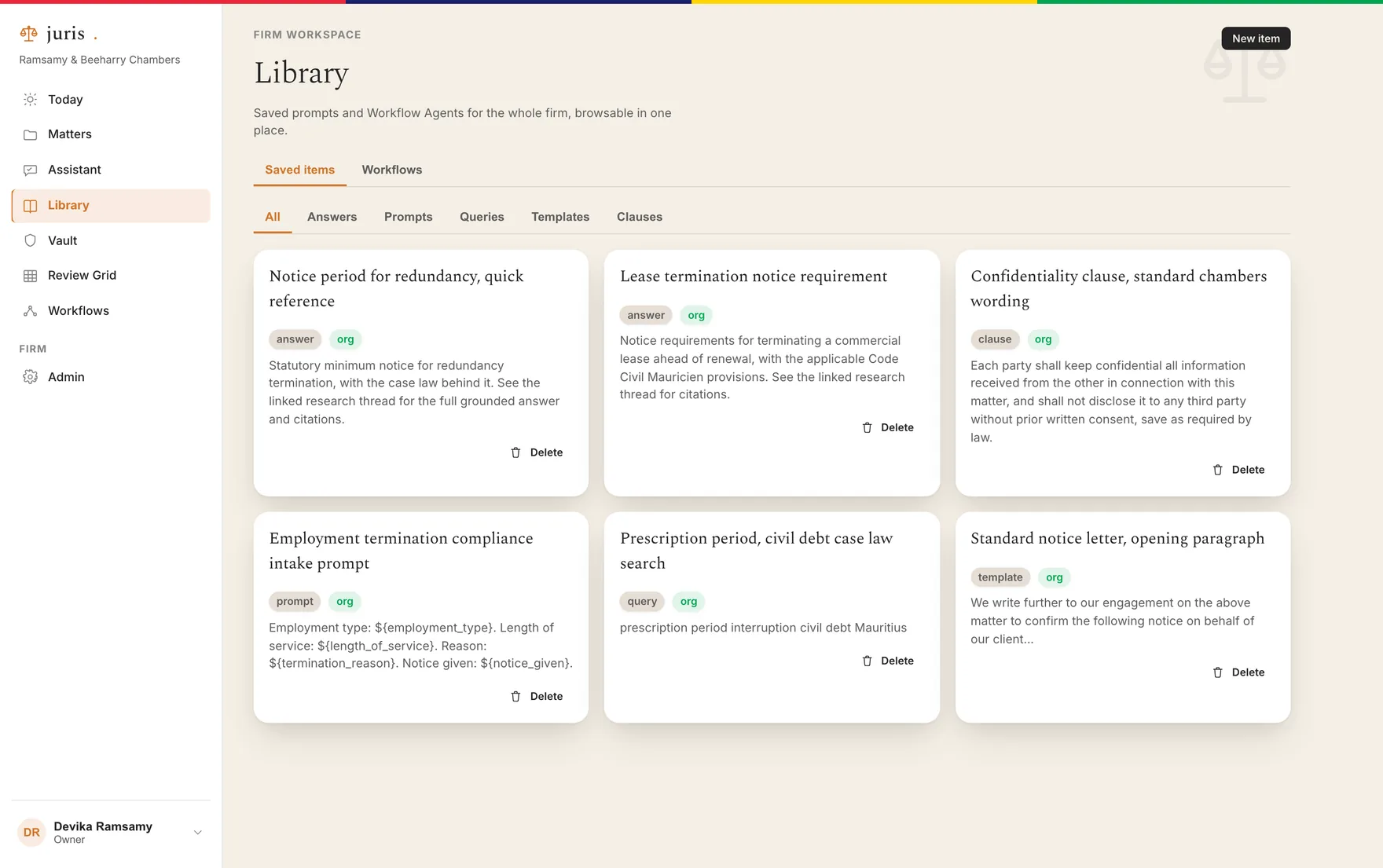
Answers, prompts, queries, templates and clauses can be saved to a shared library, so the research one person did in March is findable by the person who needs it in September.
Talk to us about your firm
There is no self-serve signup. Every engagement starts with a conversation about your firm's matters and how the back office should be set up for you.